Knowledge base › Taking orders
Build the ticket, then send it to the kitchen or take payment.
Steps
- Open Order on the left rail.
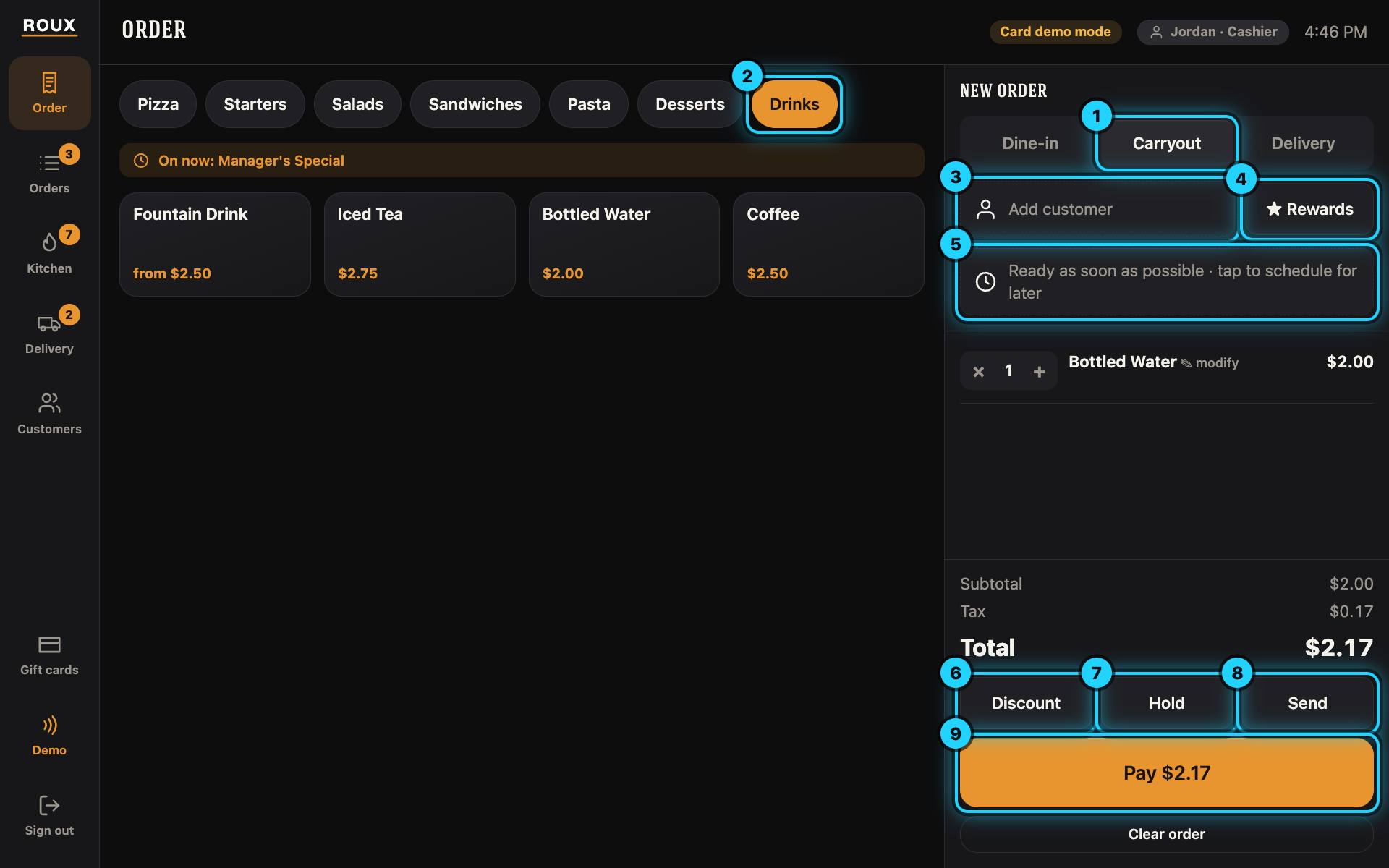
- At the top of the ticket choose Dine-in, Carryout or Delivery. For dine-in, press Table and enter the table number.
- Tap a category across the top, then tap an item.
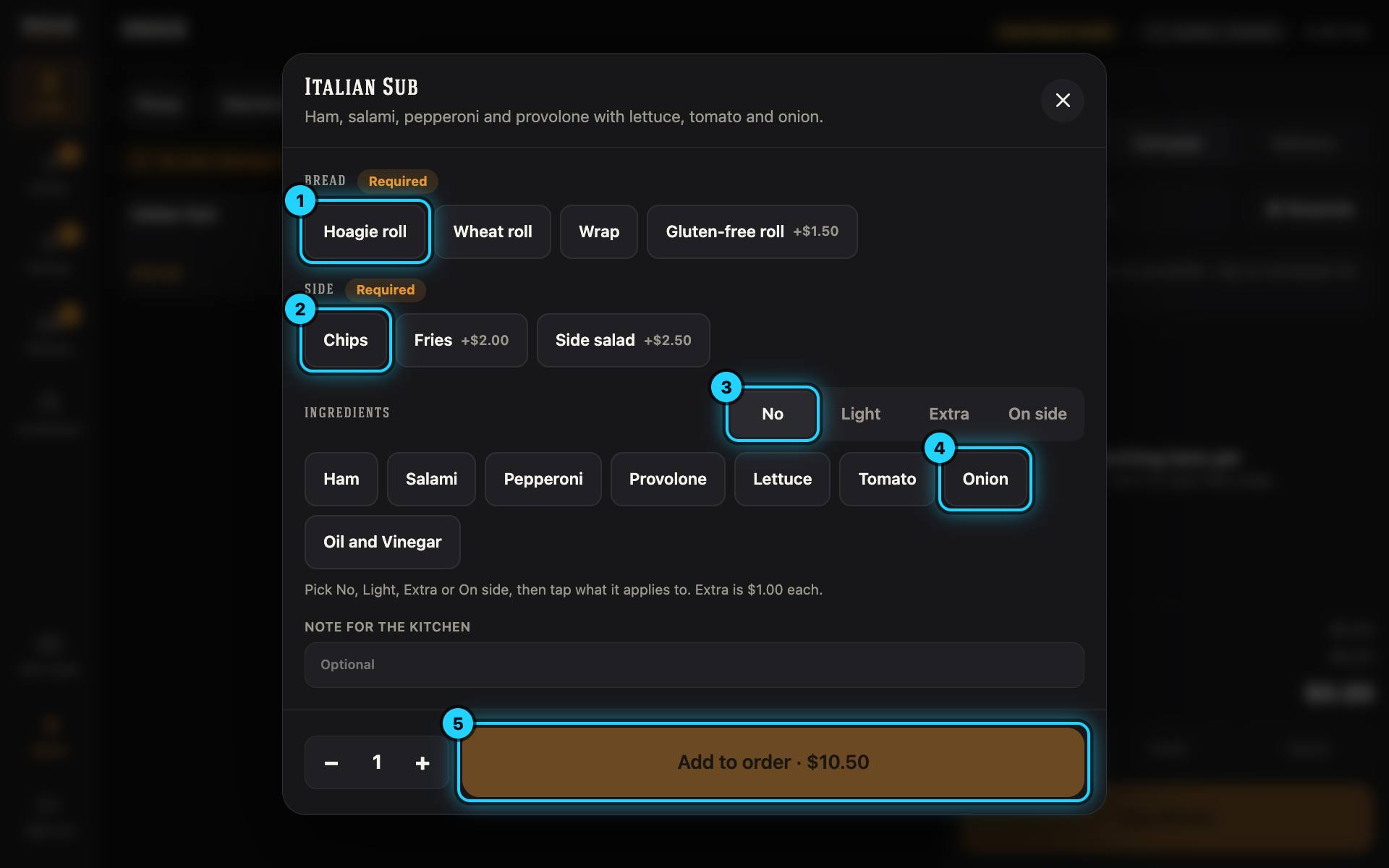
- If the item has sizes or choices, pick them. Under "comes with", tap an ingredient to mark it no, light, extra or on the side.
- Add a note for the kitchen if needed, then add it to the ticket.
- Tap a line on the ticket to change or remove it.
- Press Pay to take payment now, Send to send it to the kitchen unpaid, or Hold to park it.
Good to know
- A paid order goes to the kitchen by itself.
- Sending an order to the kitchen before it is paid needs that permission. Without it, the screen asks for a manager PIN.
- A sold-out item is greyed out. An item with five or fewer left shows how many remain.
- Held orders are under Orders > Held.