Knowledge base › Menu, prices and stock
Items, choices, pizza setup and categories.
Steps
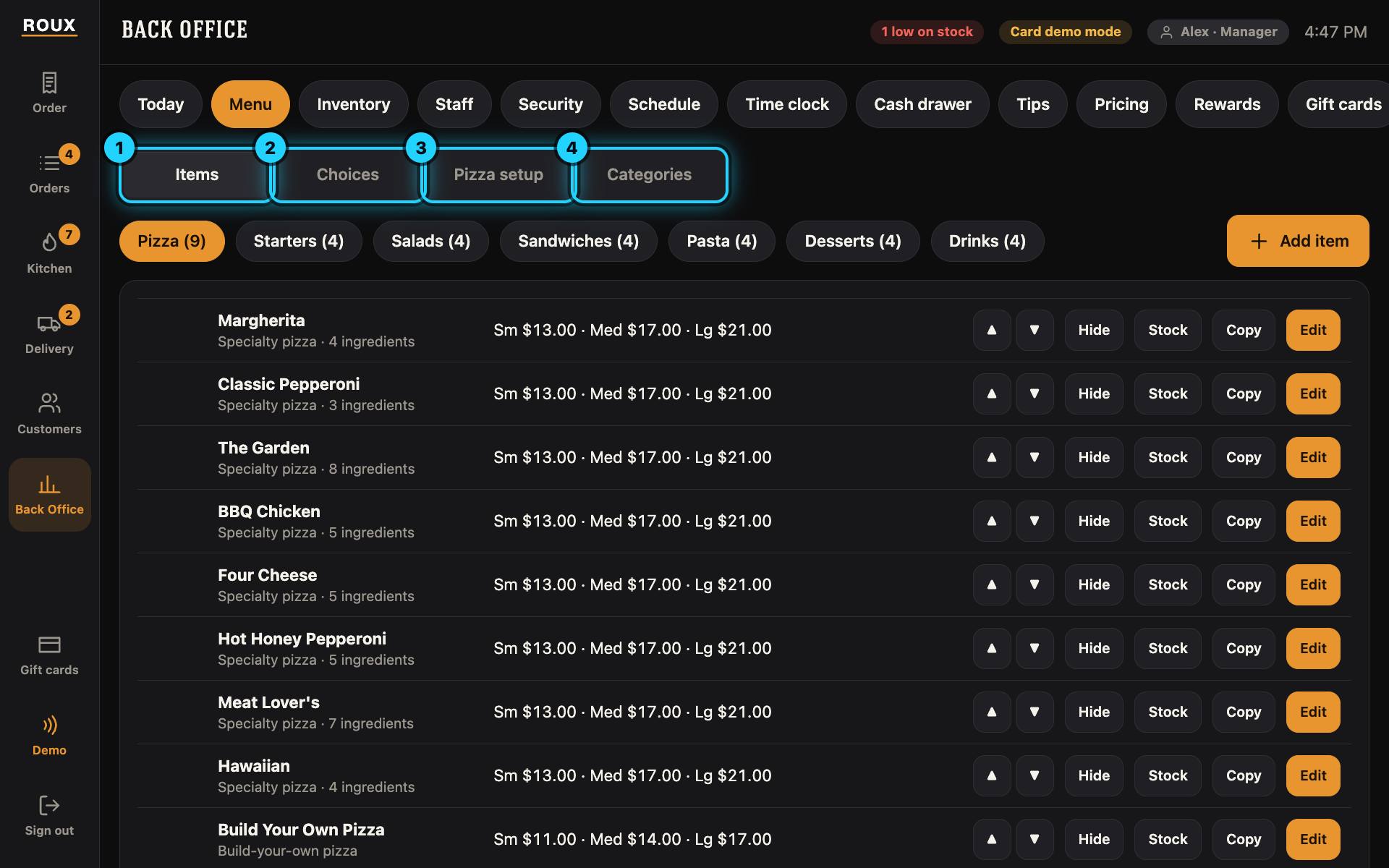
- Open Back Office > Menu. It has four parts: Items, Choices, Pizza setup and Categories.
- In Items, tap an item to change its name, description, prices by size, photo, the choices it offers and what it comes with.
- Use the arrows to move an item up or down.
- In Choices, edit the option groups (wing sauce, dressing, bread) and what each option adds to the price.
- In Pizza setup, edit sizes, crusts, sauces, cheeses, toppings and the price per topping by size. Press Save pizza setup.
- In Categories, rename, reorder or hide a category.
Good to know
- Items, choices and categories can be hidden but not deleted.
- A change shows on the registers, the ordering page and the menu boards at once.
- The store logo is changed with Change logo in Settings.