Knowledge base › Menu, prices and stock
Count ingredients and see what each item costs to make.
Set it up
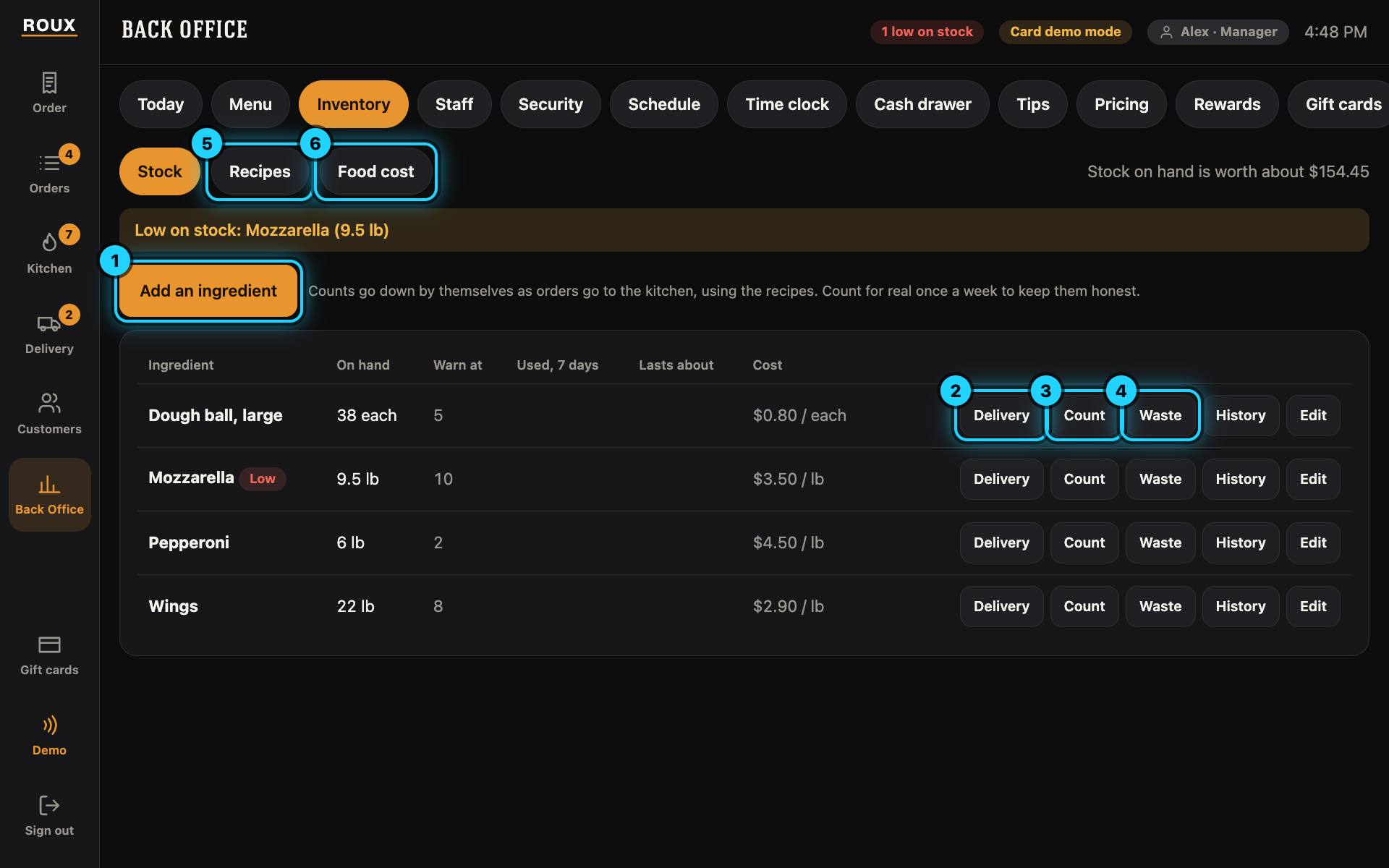
- In Back Office > Inventory > Stock press Add an ingredient: name, unit, how much you have, when to warn, and cost.
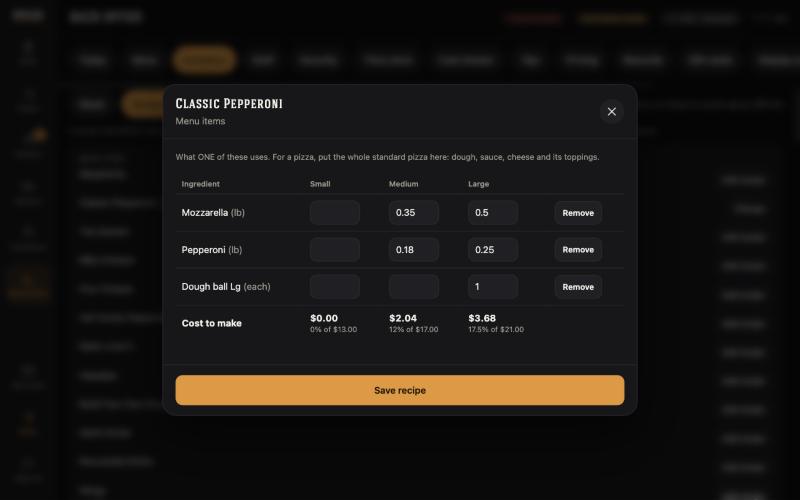
- In Recipes, press Add recipe on an item and enter how much of each ingredient one uses, per size.
Use it
- Stock goes down as orders reach the kitchen.
- Record a Delivery with what you paid, Waste with a reason, and a real Count once a week.
- Open Food cost for each item's cost and percent.
Good to know
- Managers see a red low-stock tag in the top bar.
- Stock use is an estimate; the weekly count corrects it.