Knowledge base › Menu, prices and stock
Automatic second-item deals, and prices that change by day and hour.
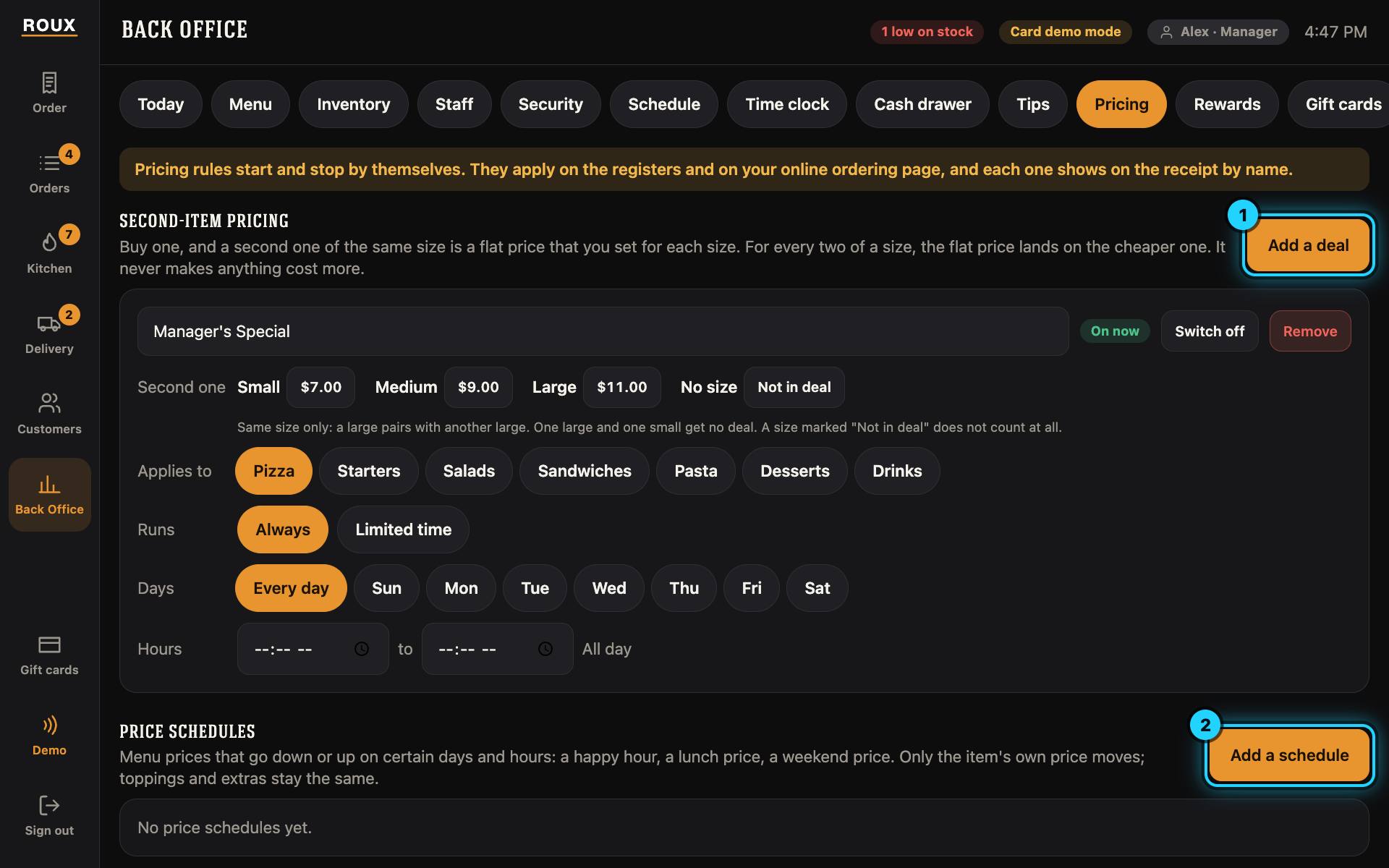
Second-item deal
- Open Back Office > Pricing and press Add a deal.
- Name it and choose the categories it covers.
- Enter the flat price for the second item, per size.
- Choose when it runs: always, certain days and hours, or between two dates.
Price schedule
- Press Add a schedule.
- Choose percent or dollars, the amount up or down, and which categories (none means the whole menu).
- Choose when it runs.
Good to know
- A deal pairs items of the same size only. Of each pair, the cheaper one costs the flat price.
- A schedule moves the item's menu price. Toppings and choices do not move.
- Both apply on the registers, the ordering page and the menu boards.